Play your own videos, privately
GoonGame plays the videos already on your computer, straight from your folder, inside your browser. Nothing is uploaded, copied, moved or renamed. Then it runs an edging game over them.
Start playing See how it works
Free for now · Nothing uploaded
Your folder stays on your computer
You already have the videos you like. They sit in a folder, or ten folders, on your computer or a USB stick. GoonGame plays them right where they are.
- Make an account: an email and a password.
- Pick your instructor and level, and set up your night.
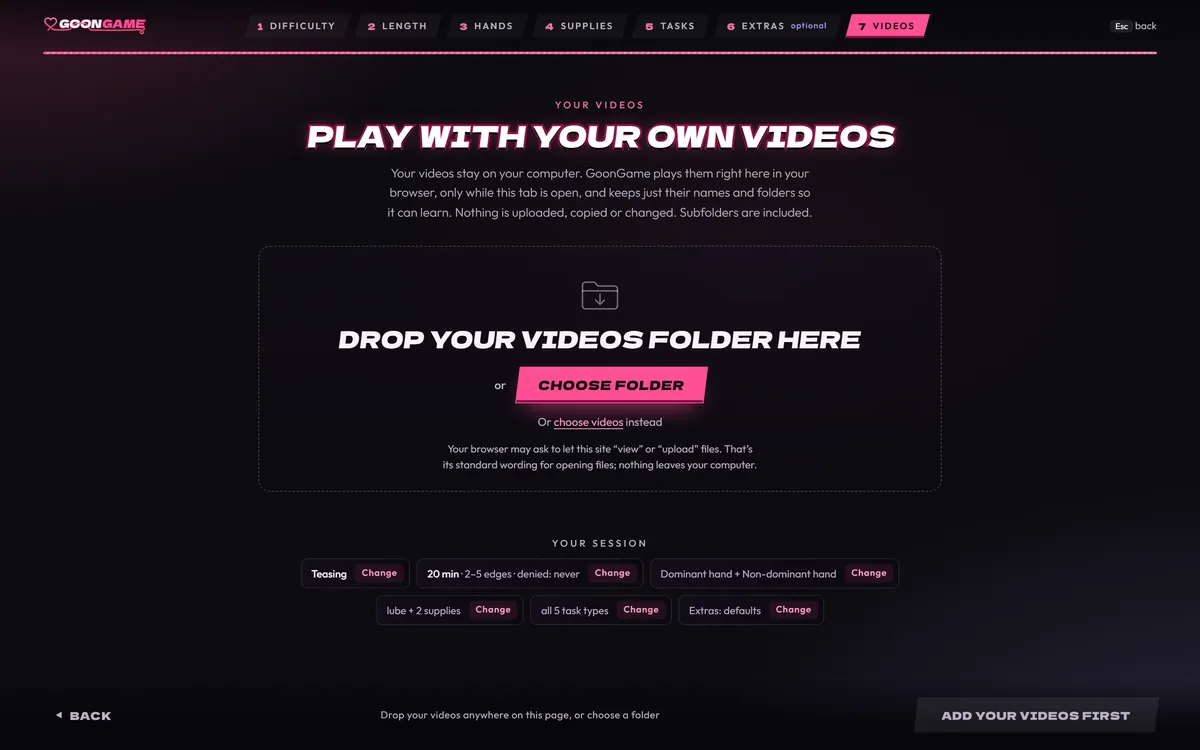
- Drag your folder onto the page, or choose it. Sub-folders come too.
- Play. Your browser reads each video from your own disk as it plays.
That’s the whole trip a video takes: from your disk to your screen. It never goes to a server. Close the tab, and your browser lets go of it.
What stays where
| What | Where it lives |
|---|---|
| Your videos | On your disk. Never sent anywhere. |
| Their names, sizes and folders | In this browser, on this device |
| What it learns about your taste | In this browser, on this device |
| Your settings and your own play stats | In this browser, on this device |
| Your account | Our server: your email, your password as a one-way hash, whether your email is confirmed, and when the account was made and last used |
| Anonymous play counts | Our server, with a random id. Never your account, and nothing about your videos. |
Never sent: your videos, their names, their files and folders, and what GoonGame learns about your taste.
Stars, not tags
No tagging. No renaming. No sorting first. GoonGame doesn’t care what your files are called. It learns from your stars, your folders and what you do.
- 1 to 5: give what’s on screen stars, while it plays
- One star: gone for good (← within 4 seconds undoes it)
- → skip: not now. A skip never changes a star.
Your favourites come up at the edge and at the finish. Folders you like come up more, and it remembers next time.
Pictures work too. Drop a folder with videos and pictures in it, and the game mixes them: a few pictures in a row, then a video.
Formats, sticks and slow drives
It plays .mp4, .webm, .mov, .mkv, .m4v and similar files. Browsers can’t play .avi or .wmv, so GoonGame leaves them out. A video your browser can’t play is skipped.
A slow USB stick is fine. The next clip loads before it’s needed, so the screen doesn’t go black between clips.
Each visit, add them again
Browsers don’t let a website keep your files open between visits. So you add your videos once each visit.
In Chrome and Edge, a folder you added with Choose folder opens again in one click. In Firefox and Safari, you drop or choose the folder each time. Either way, what it learned about your taste is kept.
On a phone, there’s nothing to drag, so you pick your videos with Choose videos. A whole folder needs Chrome 132 or later on Android, or Safari on iOS 18.4 or later. It works, but a computer is better.
Private in the small ways too
- Turn on the discreet title on your Account page, and the tab reads “GG” on every page.
- Esc ends the night at once. In full screen, press it twice.
- No ads. No tracking cookies. No analytics services. One cookie keeps you logged in.
- Emails only when you ask: to confirm your address or reset your password. The subject and sender are neutral.
- You can download everything your account holds, or delete it at once, on your Account page.
Moving to another computer? Save a backup file of what it learned, and load it there. Nothing syncs on its own. And one button makes it forget everything it learned.
Questions
Are my videos uploaded?
No. Your browser reads them from your disk and plays them there. They never go to a server, and nothing is copied, moved or renamed.
My browser asked to let the site “upload” files. Is it sending them?
No. “View” or “upload” is the browser’s standard wording for opening files in a web page. Nothing is sent.
Do I have to tag or sort my videos?
No. It learns from your folders and your stars as you play. If your clips already sit in a few folders, it has more to go on. One big folder works too.
Can I play from a USB stick?
Yes. Drop the folder from the stick like any other. The next clip loads ahead of time, so a slow stick doesn’t show black.
Can anyone at GoonGame see what I watch?
No. We never see your videos, their names or their folders. What it learns about your taste stays in your browser too.
Can I use it on my phone?
Yes, with Choose videos. A whole folder needs Chrome 132 or later on Android, or Safari on iOS 18.4 or later. A computer with Chrome or Edge is better.
Your videos. The game’s rules.
Drop your folder in, and let the game run the night. Nothing about your videos leaves your computer. More answers are in the FAQ, or start with the edging game itself. It’s free for now.
Free for now · Nothing uploaded